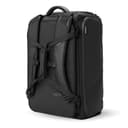
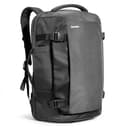
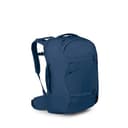
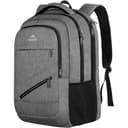
The three specs that actually matter
1. Sleeve size versus your laptop’s real size
Laptop sizes are quoted by screen diagonal; sleeves are built to a physical envelope. Those two numbers have drifted apart as bezels shrank — a modern 16-inch MacBook Pro has a smaller footprint than some older 15-inch machines, and a 15.6-inch gaming laptop can be considerably larger than both. The practical rule: measure your laptop’s width and depth, then buy a sleeve rated at least an inch larger on the diagonal than your screen. Where a maker publishes a sleeve figure, our spec tables quote it exactly; where they don’t, the table says “Not published” rather than guessing.
2. Where the sleeve sits
There are three placements and they behave very differently:
- Back-panel sleeve (against your spine). Most comfortable, because the heaviest item sits closest to your back where it belongs. Usually requires opening the main compartment to reach it.
- Dedicated external compartment. Its own zip on the outside, so the laptop comes out at security without disturbing anything else. The best option for frequent flyers; adds a little bulk and cost.
- Front-facing sleeve.Cheapest to build and the worst to carry — it puts the heaviest object furthest from your back, which levers the load away from you and makes the pack feel heavier than it is.
3. How it behaves at security
Screening rules vary by country and change over time, so we won’t state a universal rule — but a laptop compartment that either lies fully flat or opens independently is markedly less painful in either case. The bags to avoid are the ones where the laptop lives at the bottom of the main clamshell, under everything else.
One sleeve size deserves its own warning, because it rules out most of this page. If your laptop is 17 inches, the premium end of the market is closed to you: Osprey and Cotopaxi state 15 in, and Nomatic, Peak Design, Pacsafe and SwissGear state 16. The bags whose makers do state 17 in or more are collected on best travel backpacks for a 17-inch laptop, and they are almost all budget brands — which that page explains rather than glosses over.
The one-bag tension: laptop packs versus travel packs
There is a genuine design conflict here that most roundups ignore. A great laptop backpack wants compartments, structure and a flat back panel. A great travelbackpack wants one big clamshell cavity, compression and a load-carrying harness. Bags that try to be both make a choice, and knowing which choice a bag made tells you who it’s for:
- Compartment-first packs(our top pick, and most “tech travel” bags) are excellent for a work trip where you live out of the bag in hotels, and merely fine for a month of one-bag travel where you want maximum packable volume and a real hip belt.
- Travel-first packs (the Osprey in this list) carry a loaded 40L far better and treat the laptop sleeve as one feature among many. Better for long trips and long walks; less pleasant for daily office-bag duty.
Be honest about which trip you take more often. Most people buy the tech bag and take the travel trip. If the trip you take most is a two-night work trip, the compartment-first side of that trade is ranked on its own in best travel backpacks for business travel, where the laptop sleeve and the flat opening come first and capacity last.
Should the laptop go in the main bag or the personal item?
Strong case for the personal item: it goes under the seat in front of you, so your laptop is never separated from you if the main bag gets gate-checked on a full flight — which is exactly when a 40L carry-on is most likely to be taken off you. It is also easier to reach in-flight. This is why two personal-item picks are on this page, and why plenty of experienced travelers deliberately keep all their electronics in the small bag. See our under-seat roundup for that side of the setup and the personal item vs carry-on guide for the allowance rules.
Protect the laptop, then protect everything around it
A padded sleeve handles knocks; it does nothing for the cable nest that travels with the machine. A charger, a power bank and three cables loose in a clamshell is how a well-packed bag becomes a mess by day two, and how chargers scratch screens. A tech organizeris a genuinely high-return purchase alongside any bag on this page — more so than upgrading the bag itself.
Weight is the hidden cost
A laptop, a charger and an accessory kit is commonly 5–7 lb before any clothes go in. On a 40L pack that is a meaningful fraction of a comfortable total load, and it is the reason a laptop-carrying traveler should care more about the harnessthan a clothes-only traveler does. If you are carrying a heavy machine, weight the hip belt in your decision more than the compartment count — our what-size guide covers how capacity and load interact.